 Kerbio
Watch: the Deal Analyser, step by step (2 min)
What it tells you
Deposit after the bridge, stamp duty, fees and the works you fund, in one number.
The highest price that still hits your target profit, and the headroom above your offer.
Net profit and profit on the value after works, graded strong, viable, marginal or weak.
What the refinance releases, what stays in, and the price at which all your cash comes back out.
An example: is it a deal?
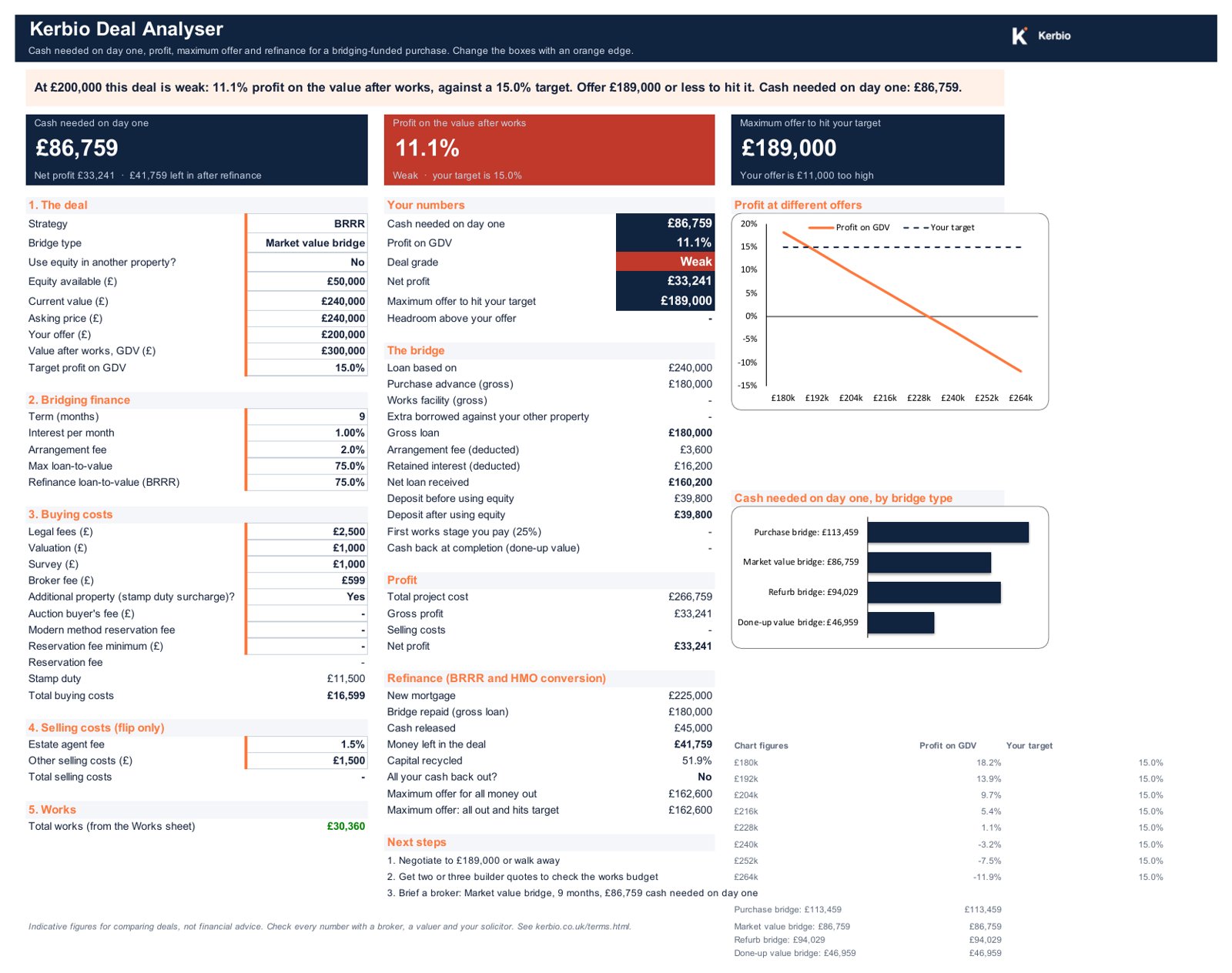
A house on the market at £240,000. You offer £200,000, it needs £30,000 of works and will be worth £300,000 when done. Market value bridge, 9 months at 1% a month.
- Cash needed on day one: £86,759
- Net profit: £33,241, 11.1% of the value after works
- Grade: Weak against a 15% target
- Next step it writes for you: Negotiate to £189,000 or walk away
The point is the last line: it tells you what to offer before you've spent money on surveys and solicitors.
Every bridge type, side by side
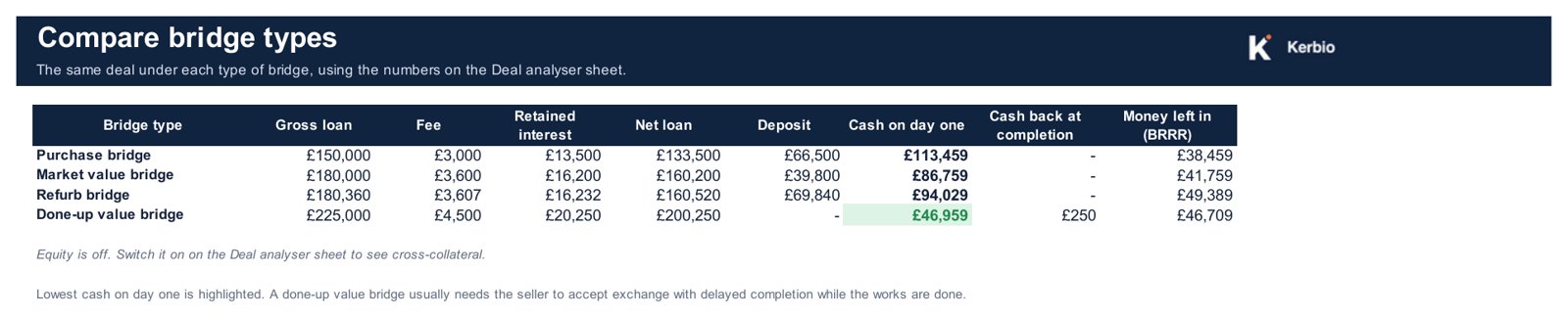
The same deal under a purchase, market value, refurb and done-up value bridge, with the lowest cash on day one highlighted. Switch on equity in another property to see cross-collateral.
What's inside
- Start here: how to use it, what the results mean, every assumption spelled out
- Deal analyser: inputs with dropdowns, results, next steps
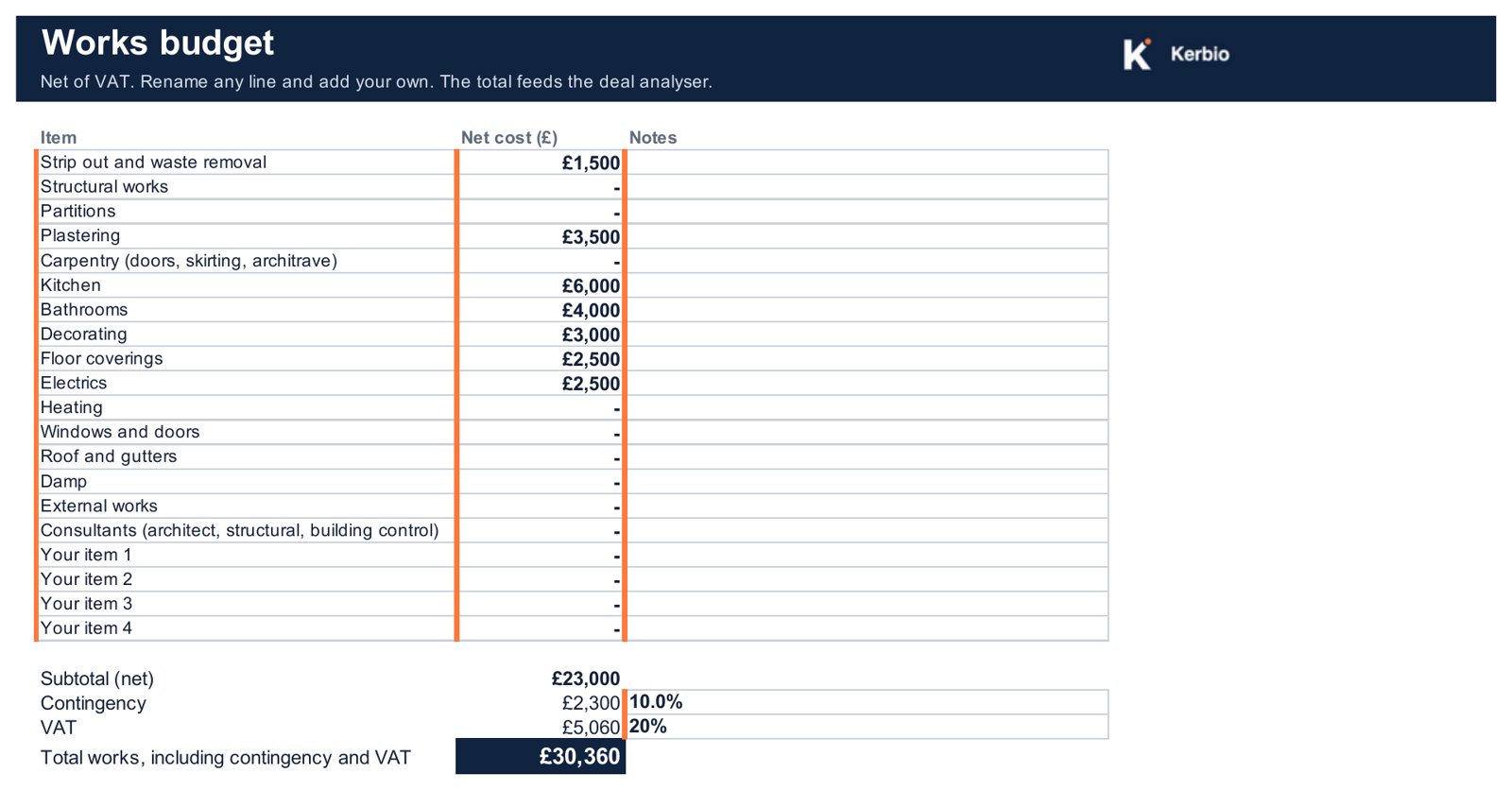
- Works: a budget with contingency and VAT
- Compare bridges: four bridge types on one deal
- Max offer: the engine that tests every price
- Stamp duty: editable rates, additional property surcharge, auction fees
Formulas are protected so they can't be overwritten by accident, and every tricky label has a note.
Who it's for
- Investors buying with bridging finance: BRRR, flips, HMO conversions
- Anyone negotiating below asking who wants to know how far to go
- Buying at auction, where you have 28 days to complete
- Buying with a standard mortgage and no refurbishment
- Commercial or development finance
- Replacing a broker, valuer or solicitor
Questions
What do I need to use it?
Microsoft Excel on Windows or Mac. It is built and tested in Excel. It uses standard formulas, so it should also open in Google Sheets and Apple Numbers, but the protected sheets and notes work best in Excel.
How is the maximum offer worked out?
Put in the profit you want and the value after works. The Max offer sheet finds the highest price that still gives you that profit, and the highest price at which a BRRR refinance gives you back all the cash you put in.
Which bridge types does it cover?
Purchase, market value, refurb and done-up value bridges, plus using equity in another property (cross-collateral). The Compare bridges sheet shows all four on the same deal.
Does it include stamp duty?
Yes, at England and Northern Ireland rates, including the 5% additional property surcharge and modern method auction reservation fees. The rates sit on their own sheet so you can update them. Wales and Scotland use different taxes.
How was it tested?
Against standard bridging worked examples (for example, a market value bridge on a £100,000 asking price bought for £80,000 needs a £5,000 deposit), and against an independent model on 300 random deals, with every output matching.
Is this financial advice?
No. It is a calculator for comparing deals. Lenders' terms, valuations and fees vary, so check every number with a broker, a valuer and your solicitor.
Kerbio Deal Analyser, version 1.2
One Excel file, yours to keep. Instant download.
For buyers in the UK. Outside the UK? Email us before buying.
Made by Kerbio, a small independent UK tool for property investors. Want the free version first? Try the bridging loan calculator and the five-structure comparison. Indicative figures, not financial advice.